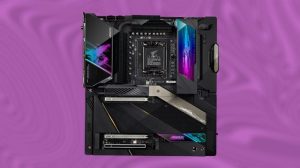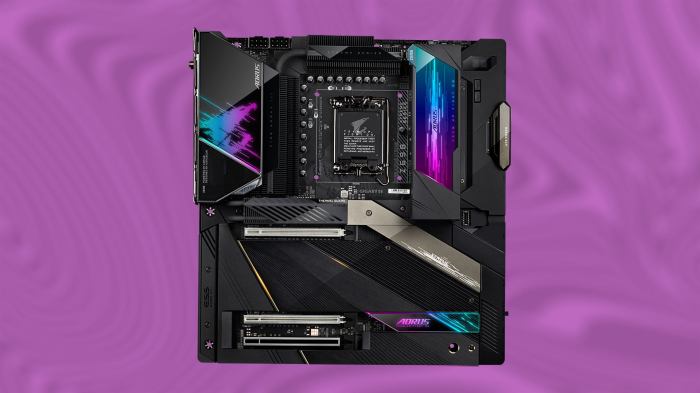
Looking for the best motherboards for your PC build? Dive into our guide on the top 5 picks that offer exceptional features and performance.
From compatibility with processors to value for money, we’ve got you covered with all the essential details you need to know.
Best Motherboards for PCs
When it comes to building a PC, the motherboard is a crucial component that can greatly impact performance. Here are the top 5 motherboards currently on the market that stand out for their features, specifications, compatibility, and value for money.
1. ASUS ROG Strix X570-E Gaming
The ASUS ROG Strix X570-E Gaming motherboard is a popular choice among gamers and enthusiasts. It features PCIe 4.0 support, Wi-Fi 6 connectivity, and robust power delivery for overclocking. Compatible with AMD Ryzen processors, this motherboard offers excellent performance for its price point.
2. MSI MPG B550 Gaming Edge WiFi
The MSI MPG B550 Gaming Edge WiFi motherboard is a budget-friendly option that doesn’t compromise on features. It supports PCIe 4.0, has built-in Wi-Fi, and offers a solid VRM design for stable power delivery. This motherboard is compatible with AMD Ryzen processors and provides great value for mid-range PC builds.
3. Gigabyte Z490 AORUS Master
The Gigabyte Z490 AORUS Master motherboard is a high-end option for Intel-based PC builds. It boasts premium features such as Thunderbolt 3 support, robust VRM design, and advanced cooling solutions. With compatibility for 10th Gen Intel processors, this motherboard is ideal for power users and content creators.
4. ASRock B550M Steel Legend
The ASRock B550M Steel Legend motherboard is a compact micro-ATX option that offers great value for budget PC builds. It supports PCIe 4.0, features a stylish design with RGB lighting, and has solid power delivery for reliable performance. Compatible with AMD Ryzen processors, this motherboard is a popular choice for entry-level gaming setups.
5. ASUS TUF Gaming X570-Plus (Wi-Fi)
The ASUS TUF Gaming X570-Plus (Wi-Fi) motherboard is a reliable and durable option for gaming enthusiasts. It comes with PCIe 4.0 support, built-in Wi-Fi, and military-grade components for long-lasting performance. Compatible with AMD Ryzen processors, this motherboard offers a balance of features and affordability.
Computer Repair and Consulting
Regular maintenance for PCs is crucial to prevent hardware issues and ensure optimal performance. By staying on top of maintenance tasks, such as cleaning dust buildup, updating software, and checking for system updates, you can extend the lifespan of your computer and avoid costly repairs.
Common Computer Repair Services
- Hardware diagnostics and repairs
- Virus and malware removal
- Data recovery
- Operating system reinstallation
- Upgrades for memory, storage, or graphics
Tips for Troubleshooting Common Computer Problems
- Restart your computer to resolve software glitches
- Check connections for loose cables or peripherals
- Run a virus scan to detect and remove malware
- Update drivers for hardware components
- Monitor system temperatures to prevent overheating
Benefits of Consulting with Experts
- Receive personalized recommendations for upgrades based on your needs
- Ensure proper installation and compatibility of new hardware components
- Optimize system performance for faster speeds and smoother operation
- Gain valuable insights on the latest technology trends and advancements
Data Communication
Data communication is the process of transferring data from one device to another or between multiple devices. It plays a crucial role in the realm of computers, allowing devices to communicate and share information effectively.
Methods of Data Transmission
- Wired Transmission: Involves using physical cables such as Ethernet cables to transmit data between devices. It is a reliable method with high data transfer speeds.
- Wireless Transmission: Utilizes wireless signals to transmit data, commonly seen in Wi-Fi networks. It provides flexibility and mobility but may have slower speeds and potential security risks.
Role of Protocols
- Protocols are sets of rules and standards that govern data communication. They ensure that data is transmitted accurately and securely between devices.
- Examples include TCP/IP (Transmission Control Protocol/Internet Protocol) for internet communication and HTTPS (Hypertext Transfer Protocol Secure) for secure web browsing.
Impact on Modern Computing Systems
- Efficiency: Data communication enhances the efficiency of modern computing systems by enabling quick access to information and seamless collaboration between devices.
- Productivity: Faster data transmission speeds and secure communication lead to increased productivity in various industries and sectors.
Computers E-Books
In today’s digital age, e-books have become a valuable resource for those looking to enhance their knowledge and skills in various fields, including computer hardware and maintenance. E-books offer a convenient and accessible way to learn about complex topics and keep up with the latest trends in technology.
Top E-Books on Computer Hardware and Maintenance
- “The Hardware Hacker: Adventures in Making and Breaking Hardware” by Andrew ‘bunnie’ Huang – This book delves into the world of hardware hacking, exploring the intricacies of hardware design and the art of reverse engineering.
- “Upgrading and Repairing PCs” by Scott Mueller – A comprehensive guide to troubleshooting, repairing, and upgrading PCs, covering everything from basic hardware components to advanced troubleshooting techniques.
- “CompTIA A+ Certification All-in-One Exam Guide” by Mike Meyers – Ideal for those looking to earn their CompTIA A+ certification, this book covers essential hardware and software topics required for the exam.
Topics Covered and Relevance to Computer Users
- Hardware design, troubleshooting, and repair techniques.
- Understanding and configuring hardware components like CPUs, GPUs, and RAM.
- Network setup and maintenance, including routers, switches, and wireless connections.
How E-Books Enhance Computer Knowledge and Skills
- E-books provide in-depth explanations and examples that can help users grasp complex concepts more easily.
- Readers can access e-books anytime, anywhere, making it convenient to learn at their own pace.
- Interactive elements in e-books, such as quizzes and simulations, can help reinforce learning and practical application of knowledge.
Advantages of Accessing Computer-Related Information Through E-Books
- Cost-effective alternative to traditional textbooks and manuals.
- Regular updates ensure that readers have access to the latest information and technologies.
- Search functionality makes it easy to find specific topics or information quickly.
Graphics and Multimedia

Graphics cards play a crucial role in enhancing multimedia experiences on PCs by handling tasks like rendering high-quality images, videos, and animations. The latest trends in graphics and multimedia technology for computers focus on improving graphics processing power, increasing VRAM capacity, and enhancing real-time ray tracing capabilities.
Software Applications Leveraging Graphics Capabilities
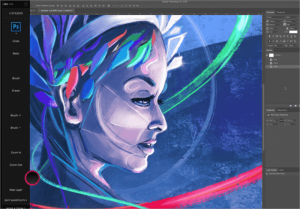
- Adobe Creative Suite: Software like Photoshop, Premiere Pro, and After Effects utilize graphics cards to accelerate rendering and editing processes for photos, videos, and animations.
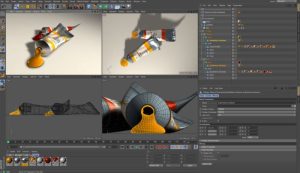
- 3D Modeling Software: Programs like Autodesk Maya and Blender rely on powerful graphics cards to render complex 3D models and animations efficiently.
- Gaming Platforms: Video games leverage graphics capabilities to deliver immersive, realistic visuals and smooth gameplay experiences.
Impact of High-Quality Graphics and Multimedia
- Enhanced User Experience: High-quality graphics and multimedia contribute to stunning visuals, vibrant colors, and smooth animations, creating an engaging user experience.
- Improved Productivity: Graphics-intensive tasks like video editing, graphic design, and 3D modeling benefit from the speed and efficiency of modern graphics cards, enabling users to work more efficiently.
Computers Hardware
Computers hardware refers to the physical components of a computer system that enable it to function. Key hardware components include the Central Processing Unit (CPU), Graphics Processing Unit (GPU), Random Access Memory (RAM), and storage devices.Explain the role of hardware components such as CPUs, GPUs, and RAM in a computer system.
- The CPU acts as the brain of the computer, executing instructions and performing calculations.
- The GPU is responsible for rendering graphics and accelerating tasks related to visual output.
- RAM provides temporary storage for data that the CPU needs to access quickly, helping to improve overall system performance.
Storage Devices
Different types of storage devices are used in computers, each with its own advantages depending on the user’s needs.
- Solid State Drives (SSDs): Offer faster read/write speeds, improved durability, and energy efficiency compared to traditional Hard Disk Drives (HDDs).
- Hard Disk Drives (HDDs): Provide larger storage capacities at a lower cost per gigabyte, making them ideal for mass storage needs.
- Hybrid Drives: Combine the speed of an SSD with the storage capacity of an HDD, offering a balance between performance and storage space.
Discuss the importance of selecting quality hardware components for optimal PC performance.
- Quality hardware components can significantly impact a computer’s speed, reliability, and overall performance.
- Investing in high-quality components can also contribute to the longevity of the system, reducing the need for frequent upgrades or repairs.
Share tips for upgrading computer hardware effectively to boost performance and longevity.
- Research compatibility: Ensure that new hardware components are compatible with existing ones to avoid issues during installation.
- Consider future needs: Anticipate future software requirements and choose hardware that can accommodate potential upgrades.
- Consult with experts: Seek advice from professionals or do thorough research before making significant hardware upgrades to ensure optimal performance.
Outcome Summary
In conclusion, choosing the right motherboard is crucial for a successful PC build. With our top picks and insights, you’re one step closer to creating your dream setup.
Quick FAQs
Are these motherboards compatible with the latest processors?
Yes, the top picks are designed to work seamlessly with the latest processors for optimal performance.
Do these motherboards support overclocking?
Some of the featured motherboards do support overclocking, providing enthusiasts with the flexibility to push their systems further.
What factors should I consider when choosing a motherboard for gaming?
For gaming, focus on factors like chipset compatibility, RAM support, and expansion slots to ensure a smooth gaming experience.
Are these motherboards beginner-friendly for first-time builders?
While some may have advanced features, these top picks are generally user-friendly and suitable for beginners looking to start their PC building journey.
Can I use these motherboards for both gaming and professional work?
Absolutely, these motherboards are versatile enough to handle intensive gaming sessions as well as demanding professional workloads.